


This plugin is something i build a few months ago but just published out to the public and share with you. This plugin basically do nothing unless there is a need to. Therefore, maintain the current efficiency rate of the website. This plugin helps you guys with large image that are so big when placed on your post that it went over shot your existing layout design. This is not desirable. Hence, a simple plugin is made to solve this problem (again this is a plugin for lazy or precautions people). I implement this plugin on Hungred.com and 1sitedaily.com.
Description
This is a very small and lightweight plugin that automatically adjust your images on your post with a maximum width. This is to eliminate the problem where your images are too large and overlap other parts of your website layout.
Any image that are greater than the maximum width is being adjust according to its ratio aspect. Those images that are smaller than the maximum width is being ignored
On the other hand, resized images also have its tag enhanced to have 'title' and 'alt' attributes for better SEO.
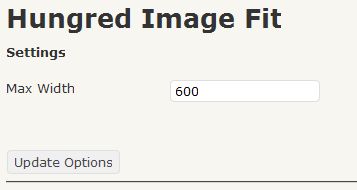
A control panel for adjusting the maximum width size is provided.
For version 0.7 onwards, there is a few new features.
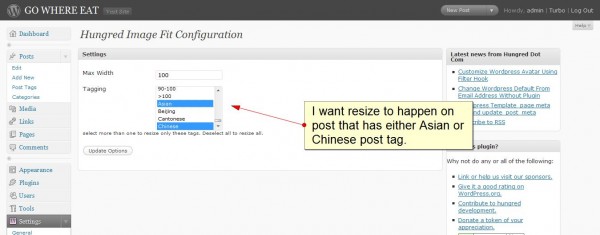
- User now can resize post images with specific tag
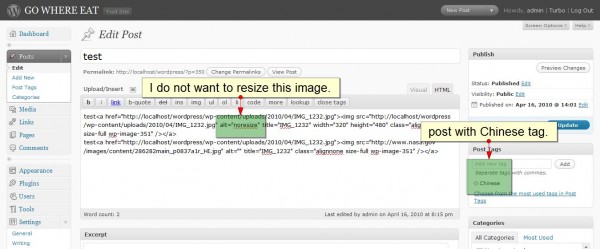
- User can remove resize capability of a particular post by placing "noresize" on the alt attribute of the img tag
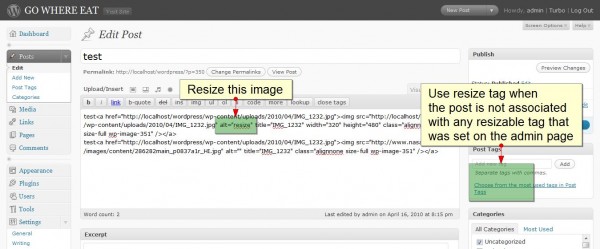
- User can resize a particular post by placing "resize" on the alt attribute of the img tag for user to have absolute control over resizing of image.
- Resize method has changed to an optimum one where resizing will not delay your website due to the waiting time for image detail using PHP getimagesize function.
Screen shot of the plugin
Here are the control panel of Hungred Image fit. Simple and clear.
How to use this plugin
This plugin is a straight forward type of plugin. Do the following and you can ignore it for the rest of your life!
- Install it into your wordpress site
- Activate Hungred Image Fit
- On setting, go to the control panel of Hungred Image Fit and set the maximum width
- DONE!
That's it!
On version 0.7, there are more control over the resizing plugin. Here are some information.
- You can now resize post that associate with a particular tag. This is done on the admin page.
- You can manually disable resizing on certain image by placing "noresize" on the img tag alt attribute
- You can manually enable resizing for a particular tag that is not associate with any allowed tag by placing "resize" on the img tag alt attribute.
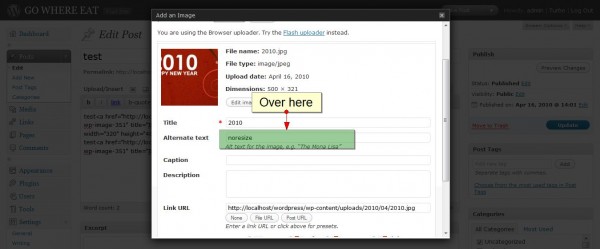
- You can place the key "resize" or "noresize" by using wordpress uploader too.
Plugin
You can search for this plugin on WordPress repository by typing 'hungred' as search criteria. If you want to manually install this, the link is here
Example
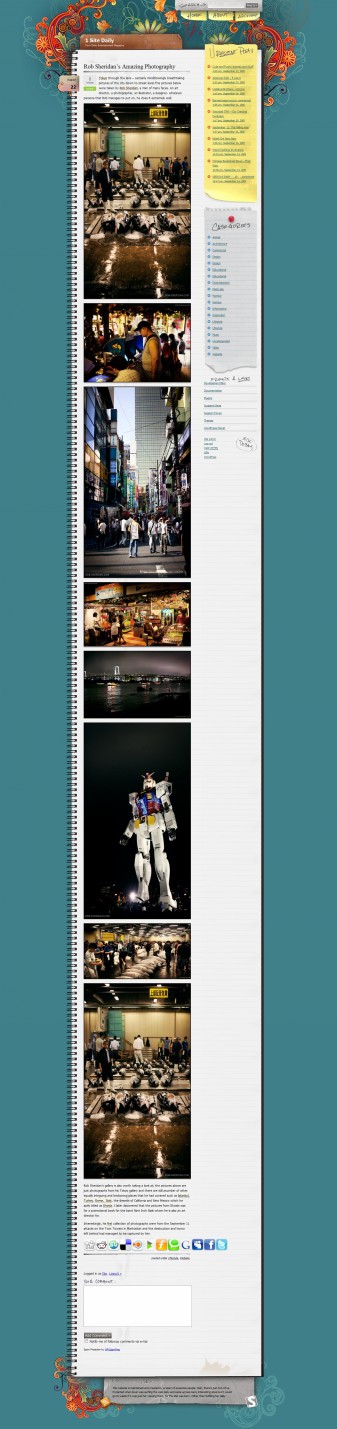
I guess its really hard to tell what does this plugin do. Since i used this on 1sitedaily.com, i will show you their example.

@Zamaan: Cool! I stare at the code for a day and can't figure out where it goes wrong. Its short and clear so i have no idea why only you are having this problem 🙁