


Hungred Feature Post list is a WordPress plugin that is created to help WordPress users to feature their post easier. Although there are many featuring post plugin in the market right now. They all seems a bit outdated and troublesome to use. Therefore, i created a plugin for usage and hopefully people appreciate it.
Introduction of Hungred Feature Post List
This is similar to recent post embedded in WordPress. The only differences is that this come with a control panel where you can control the following stuff. *UPDATE v2 which also allows multiple feature for each widget!!!*
1. number of feature
2. CSS class on the feature container
3. CSS class on the feature widget
4. Feature type available, 'selected only', 'random only' and 'both
5. Table that shows all the selected feature post
It also come with a widget that allow you to customize the placement of the feature post
Features
Once you installed the plugin you will see an additional option in your setting bar, hungred feature post list. Once you clicked on it, you will enter to the admin page of this plugin as shown below,
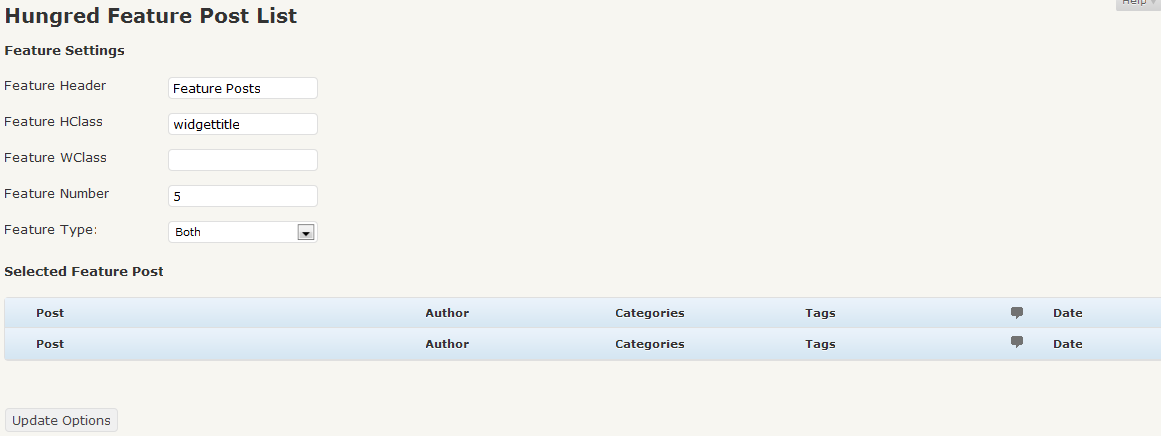
Basically, the image speaks for itself. But i will kindly explain some of the options above.
- Feature Header: the header name of the widget
- Feature HClass: the header css class name
- Feature WClass: the widget css class name
- Feature Number: the number of feature post you want
- feature type: it can be random, selected or both.
- table below: the table below shows you the selected post to be featured by you
In order to active this plugin, you will need to go to the appearance section and clicked on 'widget' in the widget panel you will see a new panel as shown below,
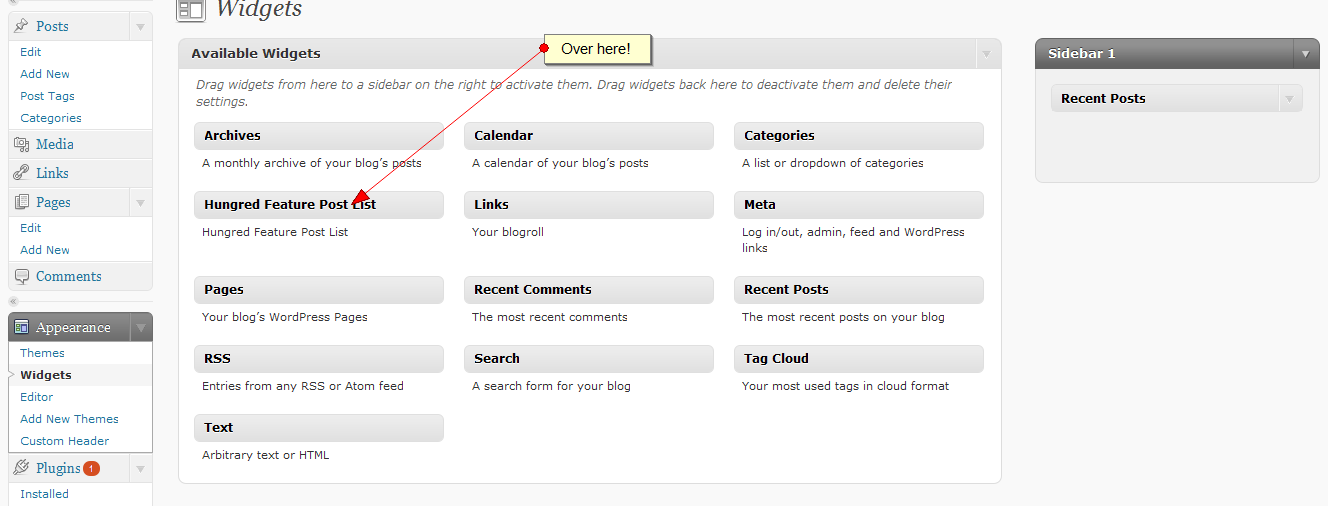
drag this into your side bar and it will be activated.
*UPDATES*
For v2, you will need to configure each widget so that you have multiple feature widget for different post.
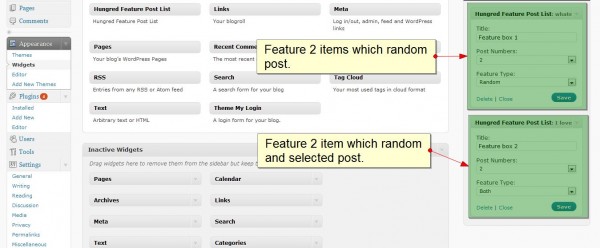
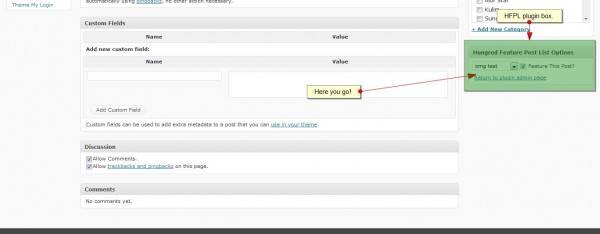
So, how do you feature your post? You can try to select some of the post to be featured on your page or let it randomly featured itself. By default, this is both made available. (both option on 'feature type' in the admin panel) You can select to feature a post by going into any post to edit and you will see an additional container on the far right of the page.
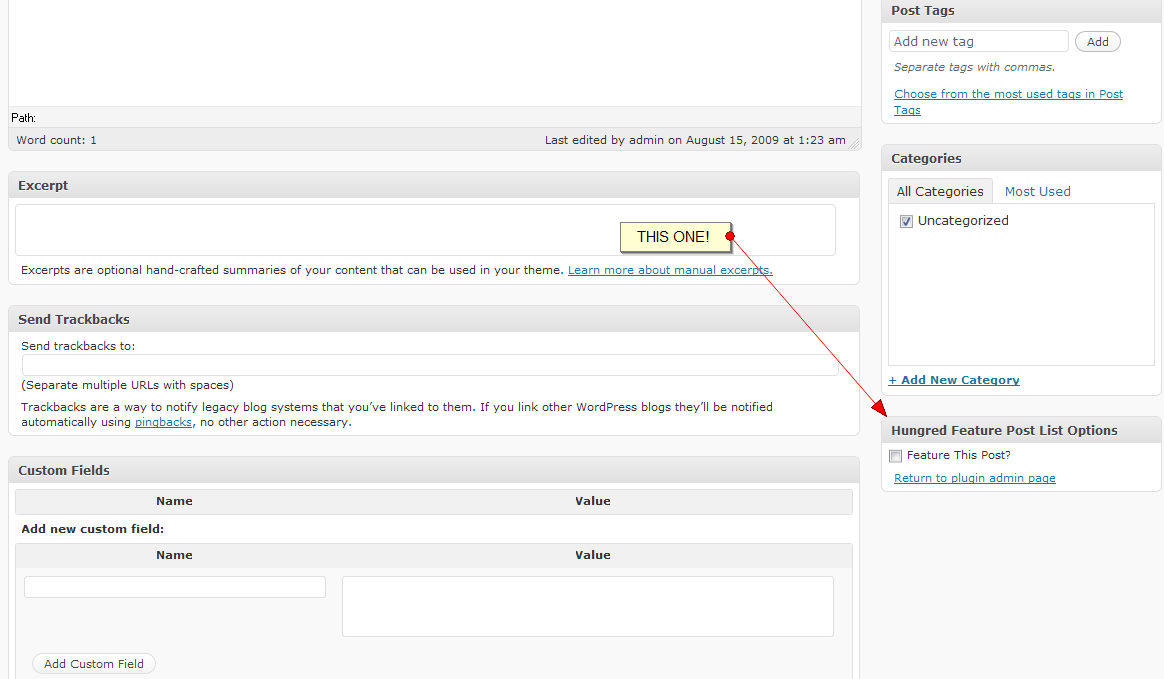
Basically, you just have to tick to make it as featured post. You can click the link to return to the admin page to check out all your feature post that you have selected. However, only post that are published can be featured!
*UPDATES*
For v2.0, you will see an additional select box which required you to select the widget you wished to feature this post to. Something like this.
Credit
Thanks to Michael Dalmer from http://massage.dk for the donation to this plugin development and release v2 (multiple featuring feature) to the public!
Demo
The feature post on this site is using this plugin. Try it. It is far better than most of the feature post plugin.
Known Issues
Here are the known issues on the plugin,
- Currently no report of bug
Support and Bug Report
- Any bug report or enhancement please go to hungred.com contact me section for better responsiveness. You may also comment below and hopefully it won't be covered away
- new enhancements will be coming along ( sorting, etc.)
- maintenance will definitely be provided
- any question feel free to ask i will try my best to respond asap
- any other instruction you would like to know regarding the use of the plugin, please let me know.
- Please read the FAQ section of the readme.txt file in the plugin for any doubts. ( a lot of Q n A )
- The changelog can be viewed on the readme.txt file too.
- Stable version is v1.0.0
Files and Last Note
You can download the file at
- Please proceed to WordPress to download the latest version
- Current version v2.0.0
- Article Last update: 12 Auguest 2010. Please refer to the change log on readme.txt (in the plugin) for more information
if my countless days and nights working on this plugin helps you, you can buy me a coffee! You can also support this plugin development by using the donate button below. Lastly, please share it with all the WordPress users if you find this useful to them and you can should your appreciation by linking us back or just say a thank you if you can 🙂


7 thoughts on “WordPress Plugin: Hungred Feature Post List”
Comments are closed.