Debugging WordPress problems? There are times when you really want to know what is causing your website to load slowly. Especially when your web hosting provider started to warn you about your server causing problems for others. In this case, what should you do? You can easily debug your problem with the following debugging plugins to assist yourself to find the root cause of your problem!
P3 (Plugin Performance Profiler)
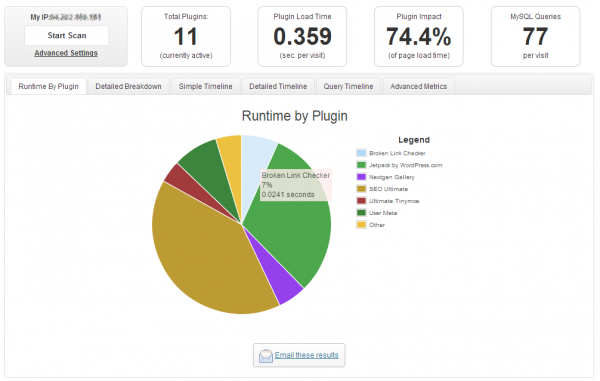
This plugin creates a profile of your WordPress site's plugins' performance by measuring their impact on your site's load time. Often times, WordPress sites load slowly because of poorly configured plugins or because there are so many of them. By using the P3 plugin, you can narrow down anything causing slowness on your site.
This plugin uses the canvas element for drawing charts and requires requires Firefox, Chrome, Opera, Safari, or IE9 or later. This plugin will not work in IE8 or lower.
Log Deprecated Notices
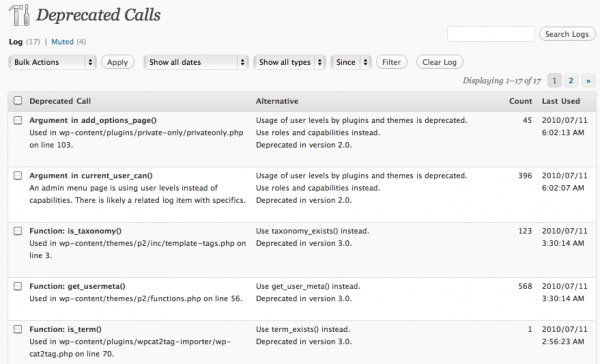
This plugin logs the usage of deprecated files, functions, and function arguments. It identifies where the deprecated functionality is being used and offers the alternative if available.
This is a plugin for developers. WP_DEBUG is not needed, though its general usage is strongly recommended. Deprecated notices normally exposed by WP_DEBUG will be logged instead.
This plugin also logs incorrect function usage, which WordPress started reporting in 3.1.
Query Monitor
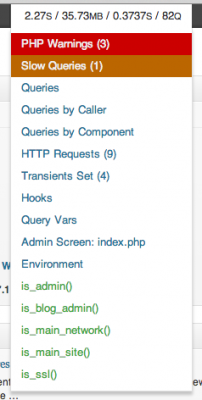
Query Monitor is a debugging plugin for anyone developing with WordPress. It has some advanced features not available in other debugging plugins, including automatic AJAX debugging and the ability to narrow down things by plugin or theme.
Debug Bar
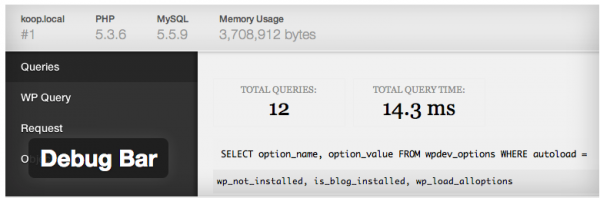
Adds a debug menu to the admin bar that shows query, cache, and other helpful debugging information.
Activity Log
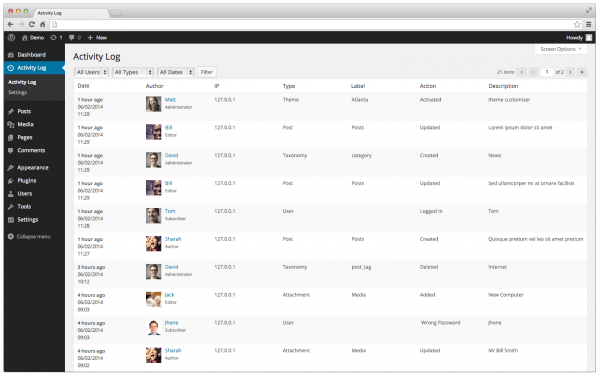
We all know that it’s relatively easy to analyze what your visitors are looking for while browsing your site. But there is really no easy way to know what registered users (say, with an Administrator account or even Editors) are doing on the dashboard of your site. How can you know if a post was deleted? or if a plugin was activated/deactivated? or if the active theme was changed? If you have tens of users or more, you really can’t know who did it. This plugin tries to solve this issue by tracking what users do on the dashboard of your WordPress site.
Debug Bar Slow Actions
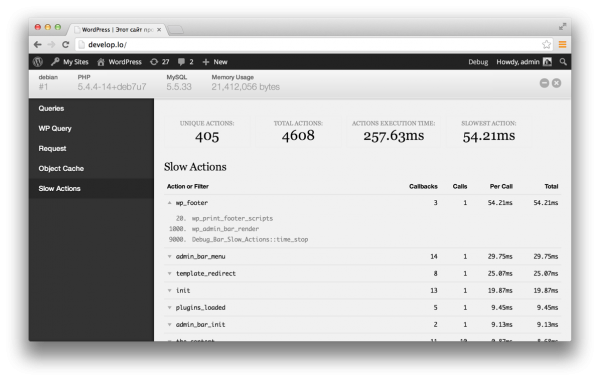
This plugin lists the top 100 slowest actions and filters during a page request in WordPress. It helps you figure out performance bottlenecks in themes and plugins.
Debug This
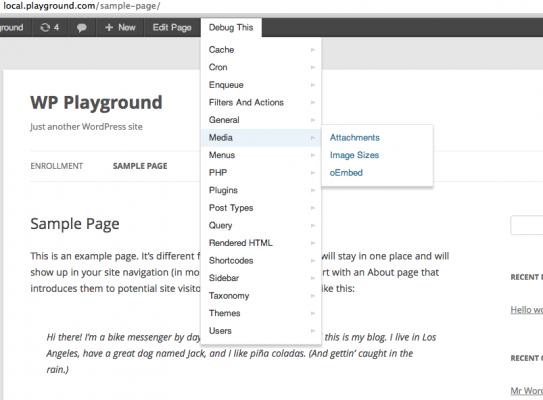
This plugin gives WordPress super admins an easy way to peek under the hood of the front-face of a WordPress installation via the admin bar.
Debug This helps you minimize effort when trying to surface WP/PHP/Server data. Instead of hardcoding debug snippets or writing complex unit tests for small functionality, you can simply surface what you need right from the admin bar. If there's not a debug mode that addresses your need, create one with the functional Debug This API.
Debug Bar Cron
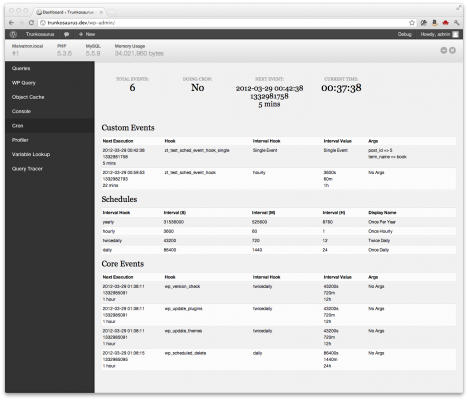
Debug Bar Cron adds information about WP scheduled events to a new panel in the Debug Bar. This plugin is an extension for Debug Bar and thus is dependent upon Debug Bar being installed for it to work properly.
Total Security
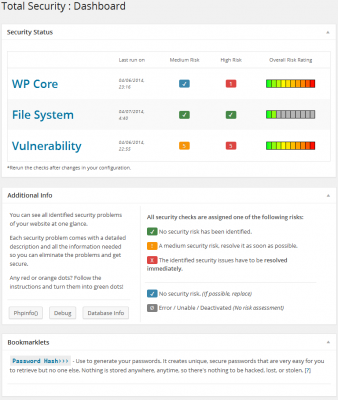
The Total Security plugin is the must-have tool when it comes security of your WordPress installation. The plugin monitors your website for security weaknesses that hackers might exploit and tells you how to easily fix them.
Postman SMTP Mailer/Email Log
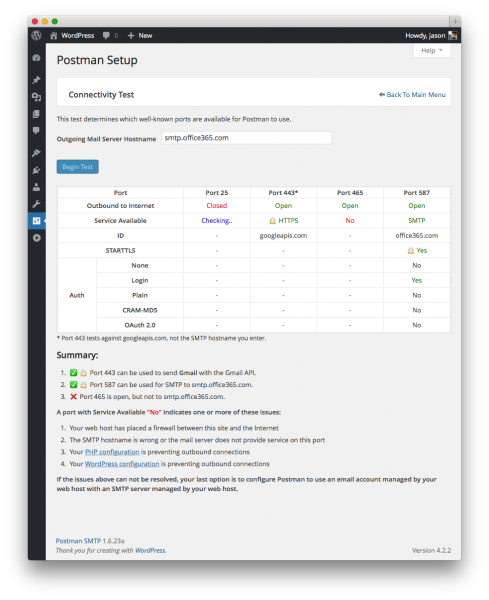
The Connectivity Test and intelligent Setup Wizard scan your SMTP server to detect firewall blocks and eliminate configuration mistakes. The handy Email Log shows which emails failed to send, and why. Even hosts that block the standard SMTP ports, like GoDaddy or Bluehost, can't stop your Gmail as Postman will deliver via HTTPS if it can't use SMTP.
Postman is not another WP Mail SMTP clone like WP Bank or Easy SMTP. It replaces the default WordPress SMTP library, PHPMailer, with the heavy-duty Zend_Mail. Never lose an email to PHP mail() again.
Debug Objects
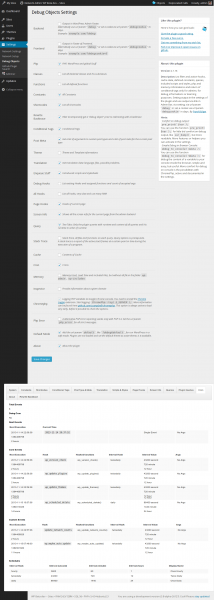
The Plugin Debug Objects provides the user, which has the appropriate rights, normally the administrator, a large number of information: query, cache, cron, constants, hooks, functions and many many more. Values and content get displayed at the frontend and backend of the blog, to analyze errors but also to better understand and develop with/for WordPress.
Debug Bar Transients
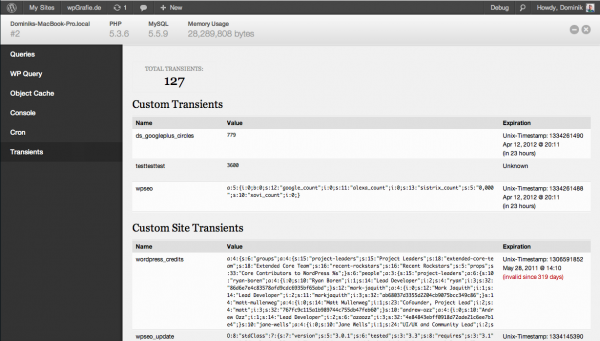
Debug Bar Transients adds information about WordPress Transients to a new panel in the Debug Bar. This plugin is an extension for Debug Bar and thus is dependent upon Debug Bar being installed for it to work properly.
Debug Bar Post Types
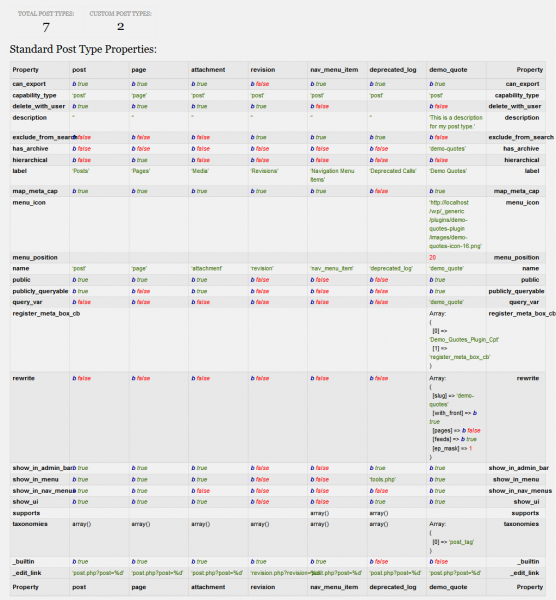
Debug Bar Post Types adds a new panel to the Debug Bar that displays detailed information about the registered post types for your site.



