

Tutorial: How to produce a new effect

1. Fire up your photoshop and open up an image!
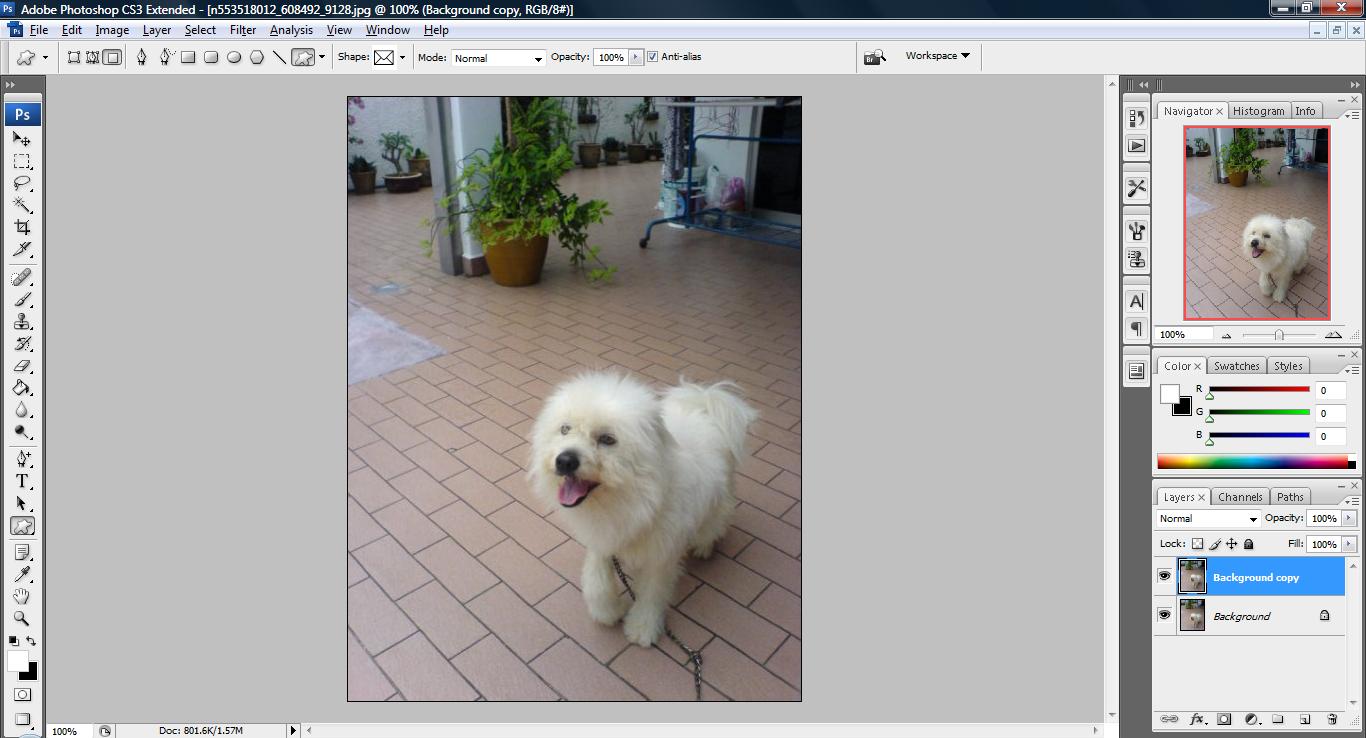
untitled79 300x162 Tutorial: How to produce a new effect

2. duplicate a layer and go to Image > Adjustment > Desaturate.
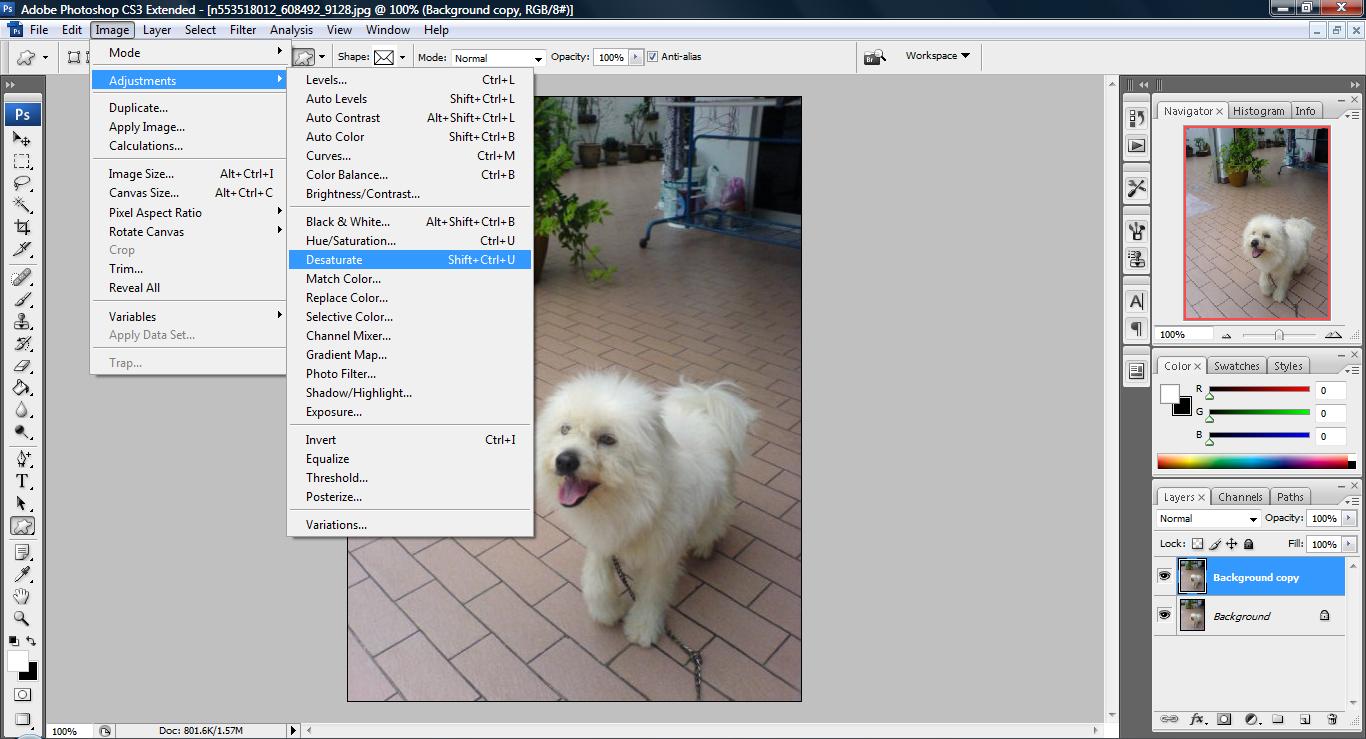
untitled80 300x162 Tutorial: How to produce a new effect

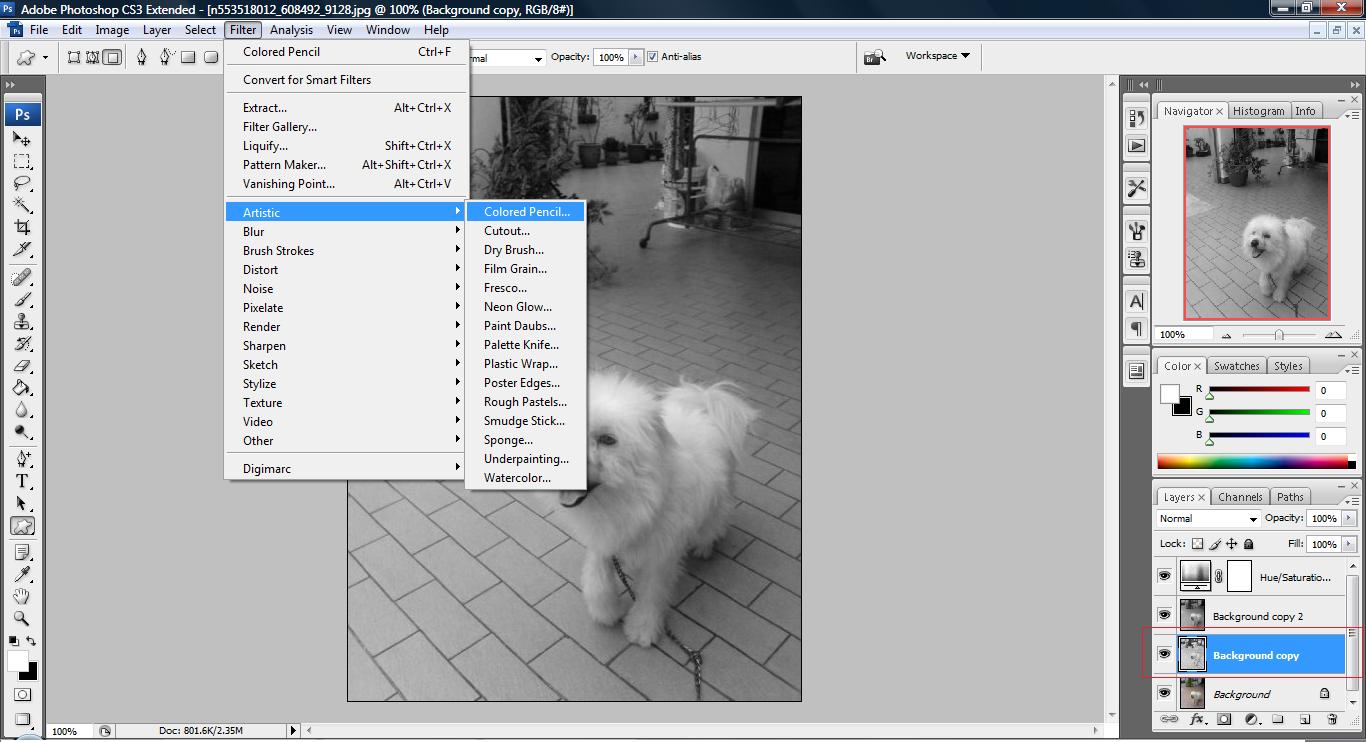
3. Duplicate another layer on the Saturated image go to Layer > New Adjustment Layer > Hue/Saturation. Set the master saturation to -100.

untitled81 300x162 Tutorial: How to produce a new effect

4. Now go to your original background image and go to Filter > Artistic > Colored Pencil. Adjust the setting to your liking.
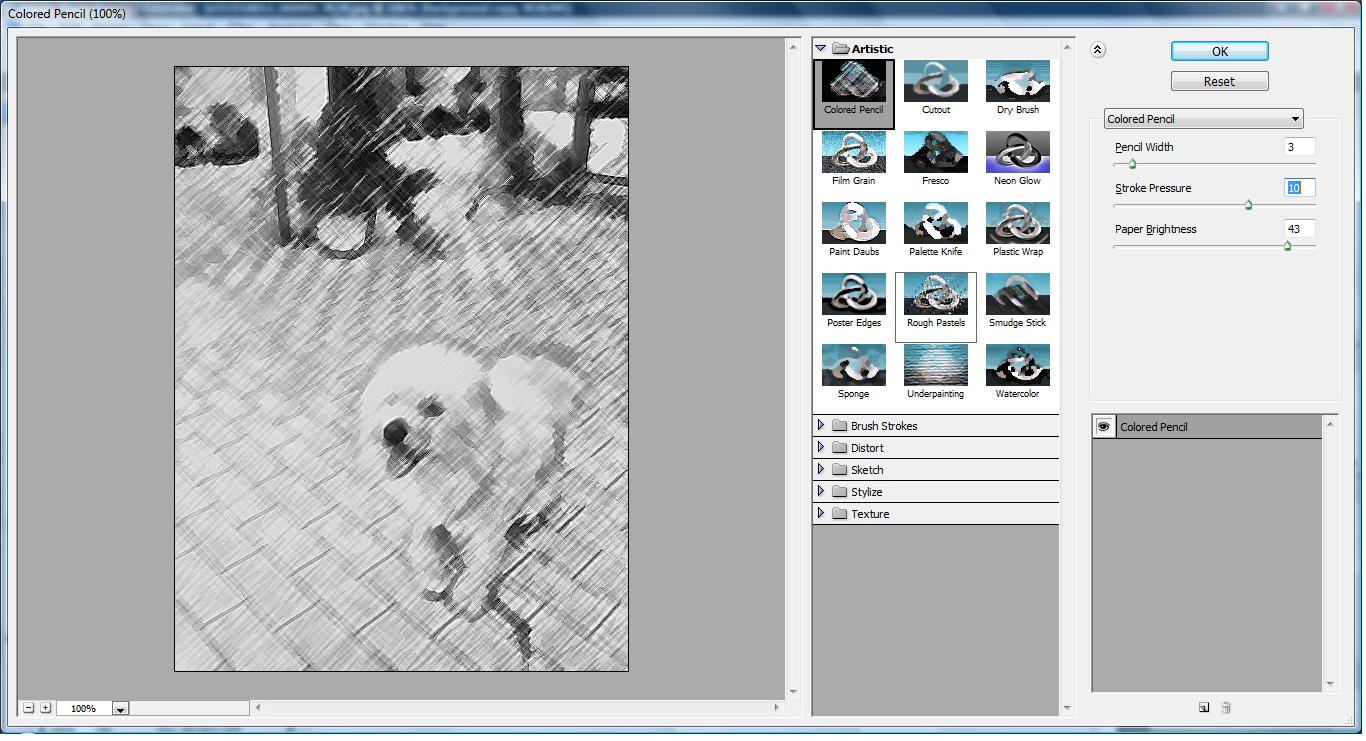
untitled82 300x162 Tutorial: How to produce a new effect

untitled83 300x162 Tutorial: How to produce a new effect

5. Next, select ‘Background copy 2′ in your layer palette. Then, go to Filter > Brush Strokes > Dark Strokes and adjust the setting to your liking.

untitled84 300x162 Tutorial: How to produce a new effect

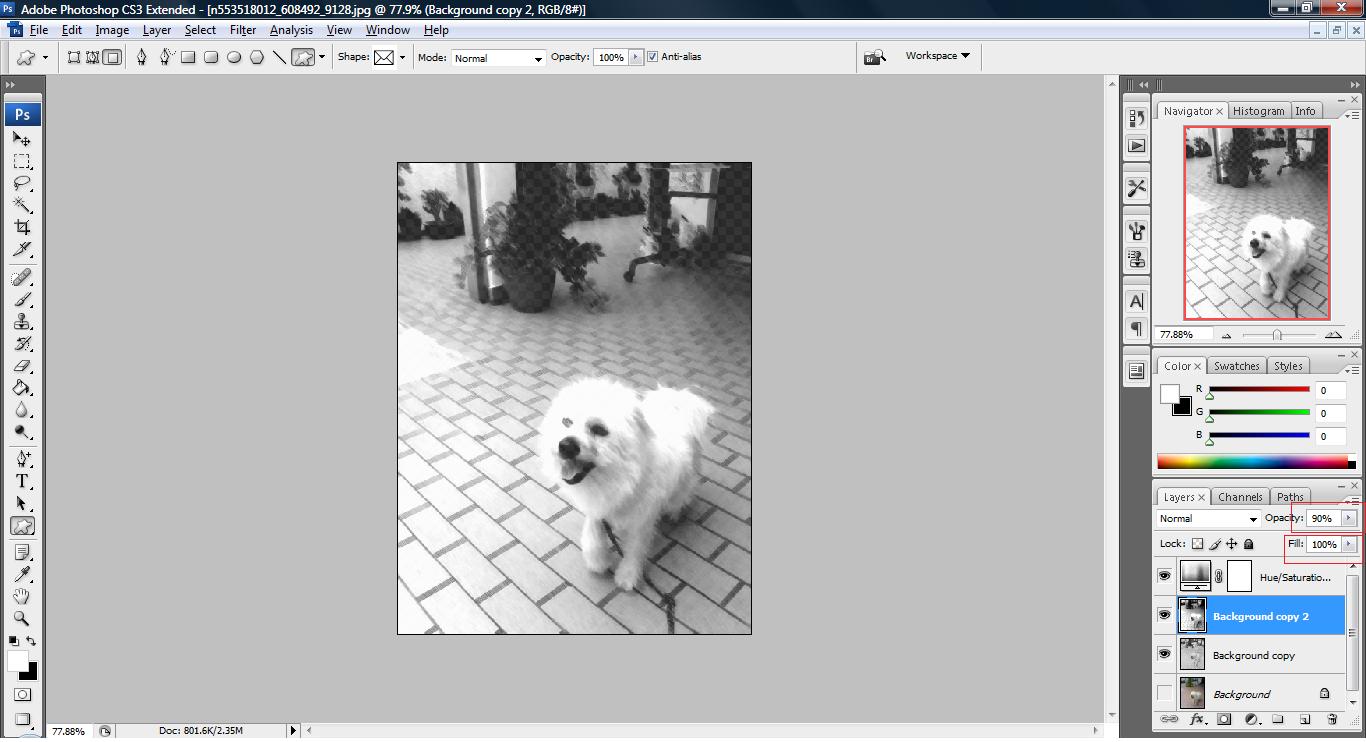
6. We will now adjust the property settings of our layers.
untitled85 300x162 Tutorial: How to produce a new effect

7. Notice that in every steps there is always a chance that we can stop as the effect maybe desirable for you. The purpose of showing it all the way till here is to show that the combination of different effects will emerge another greater effect. Good luck!


Like this post? Share it!

digg 48 Tutorial: How to produce a new effect reddit 48 Tutorial: How to produce a new effect stumbleupon 48 Tutorial: How to produce a new effect delicious 48 Tutorial: How to produce a new effect furl 48 Tutorial: How to produce a new effect technorati 48 Tutorial: How to produce a new effect google 48 Tutorial: How to produce a new effect myspace 48 Tutorial: How to produce a new effect facebook 48 Tutorial: How to produce a new effect twitter 48 Tutorial: How to produce a new effect
share save 171 16 Tutorial: How to produce a new effect

No related posts.

About Clay

I am Clay who is the main writer for this website. I own a small web hosting company in Malaysia and i'm available to be hired as individual contractor on elance. You can find me on twitter.
This entry was posted in Adobe Photoshop, How-to. Bookmark the permalink.

Comments are closed.