

Tutorial: How to chop and slice a image into multiple pieces

Using a slice tool it is really easy to slice off a image to mutiply pieces. RAWR!

1. Fire up your photoshop and draw a rounded rectangle with the Shape Tool.
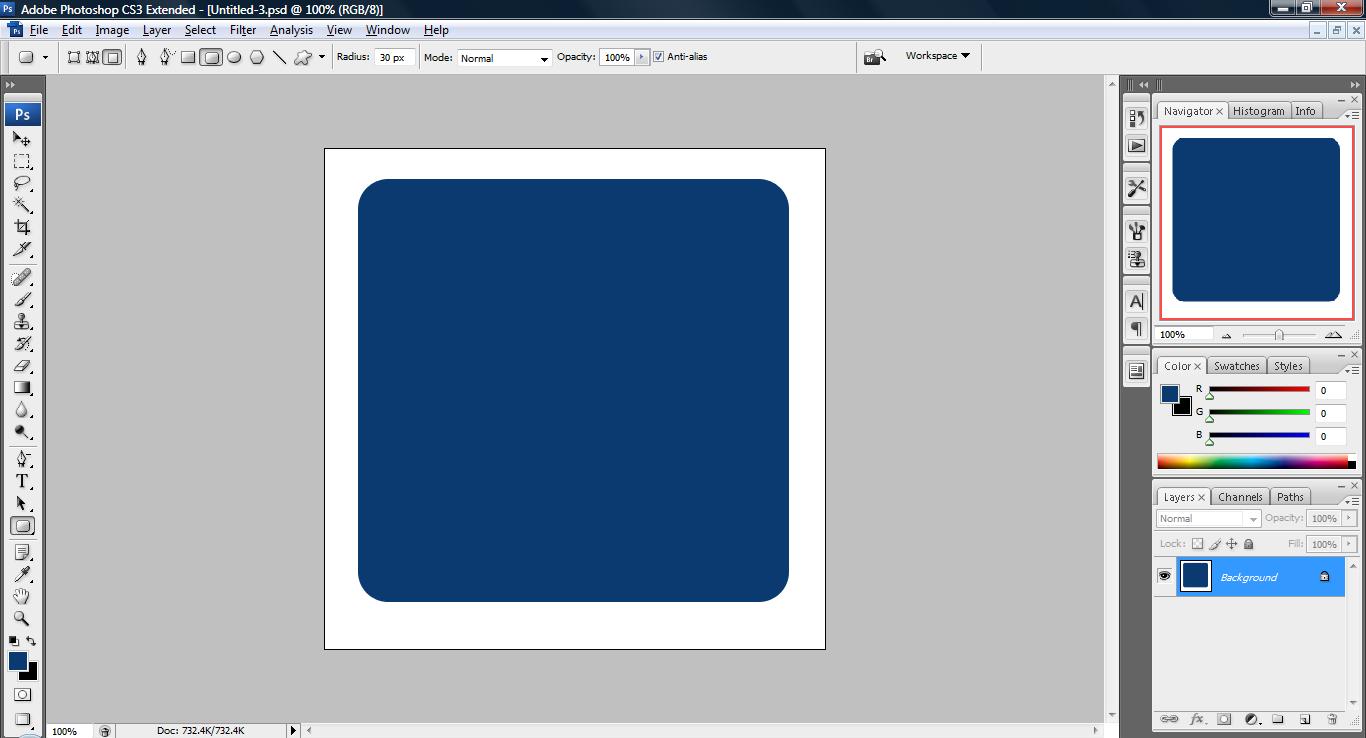
untitled65 300x162 Tutorial: How to chop and slice a image into multiple pieces

2. Use the Slice Tool and start cutting the pieces you want. (i removed the background here you can don’t do that if it is just chopping image that you want to learn here)

untitled66 300x162 Tutorial: How to chop and slice a image into multiple pieces

3. Click File->Save For Web & Devices.. and click ‘Save’ and remember to save in .gif format and not HTML format as shown below.
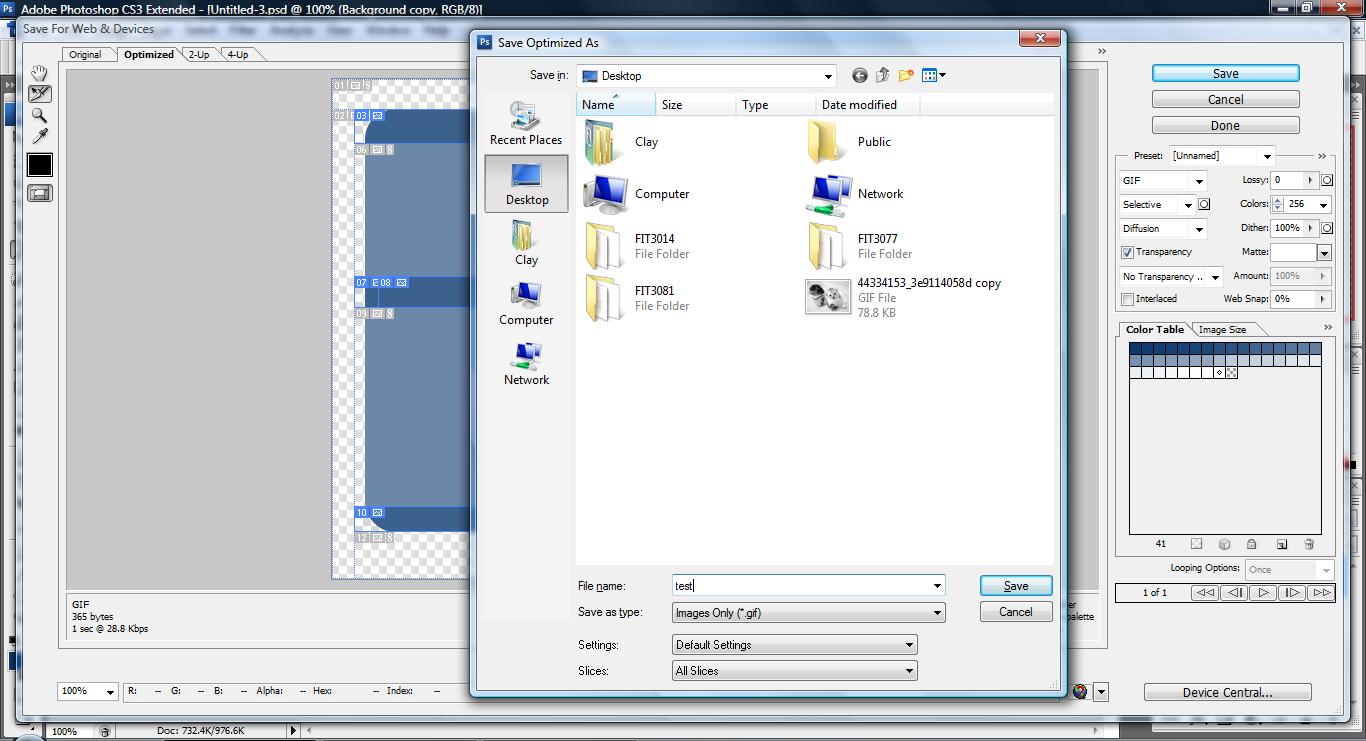
untitled67 300x162 Tutorial: How to chop and slice a image into multiple pieces


Like this post? Share it!

digg 48 Tutorial: How to chop and slice a image into multiple pieces reddit 48 Tutorial: How to chop and slice a image into multiple pieces stumbleupon 48 Tutorial: How to chop and slice a image into multiple pieces delicious 48 Tutorial: How to chop and slice a image into multiple pieces furl 48 Tutorial: How to chop and slice a image into multiple pieces technorati 48 Tutorial: How to chop and slice a image into multiple pieces google 48 Tutorial: How to chop and slice a image into multiple pieces myspace 48 Tutorial: How to chop and slice a image into multiple pieces facebook 48 Tutorial: How to chop and slice a image into multiple pieces twitter 48 Tutorial: How to chop and slice a image into multiple pieces
share save 171 16 Tutorial: How to chop and slice a image into multiple pieces

No related posts.

About Clay

I am Clay who is the main writer for this website. I own a small web hosting company in Malaysia and i'm available to be hired as individual contractor on elance. You can find me on twitter.
This entry was posted in Adobe Photoshop, How-to and tagged . Bookmark the permalink.

Comments are closed.