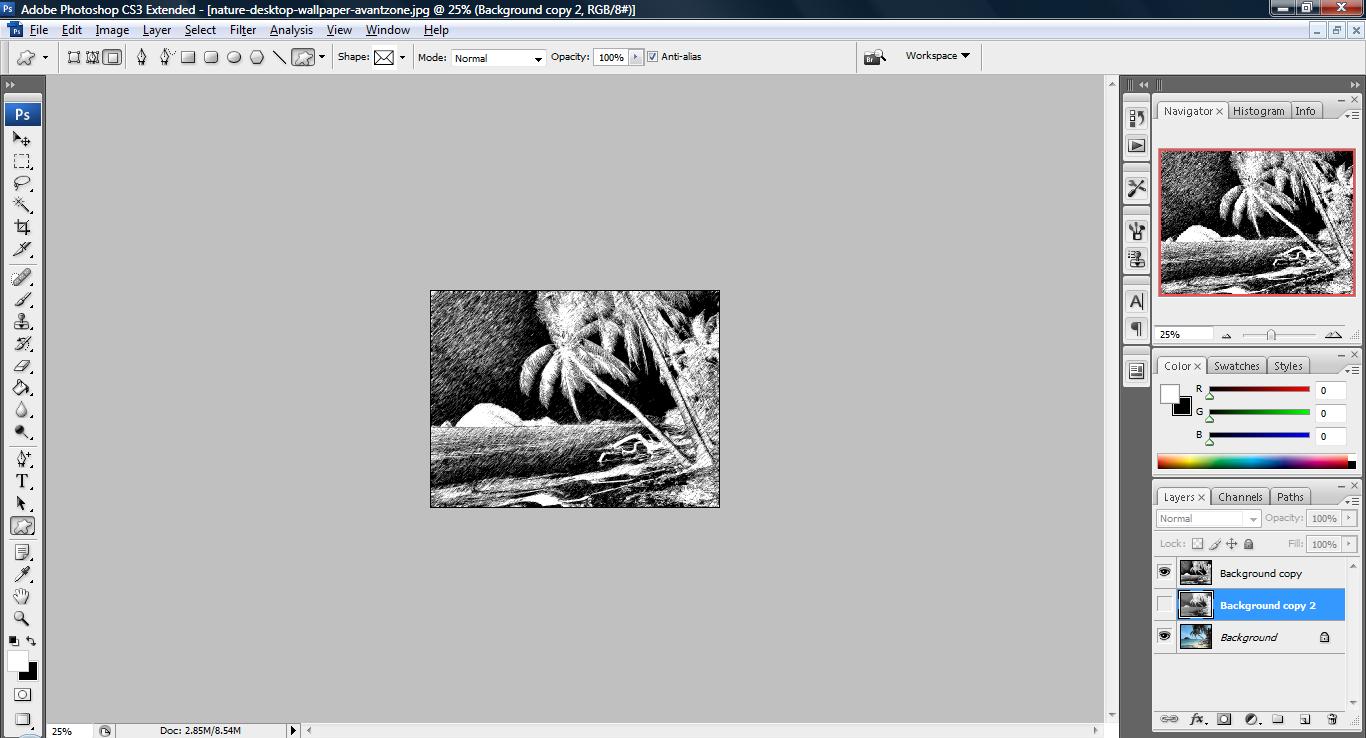
Tutorial: How to change your scenery image to hand sketch

1. Fire up your photoshop and open up an image that you would like to edit.
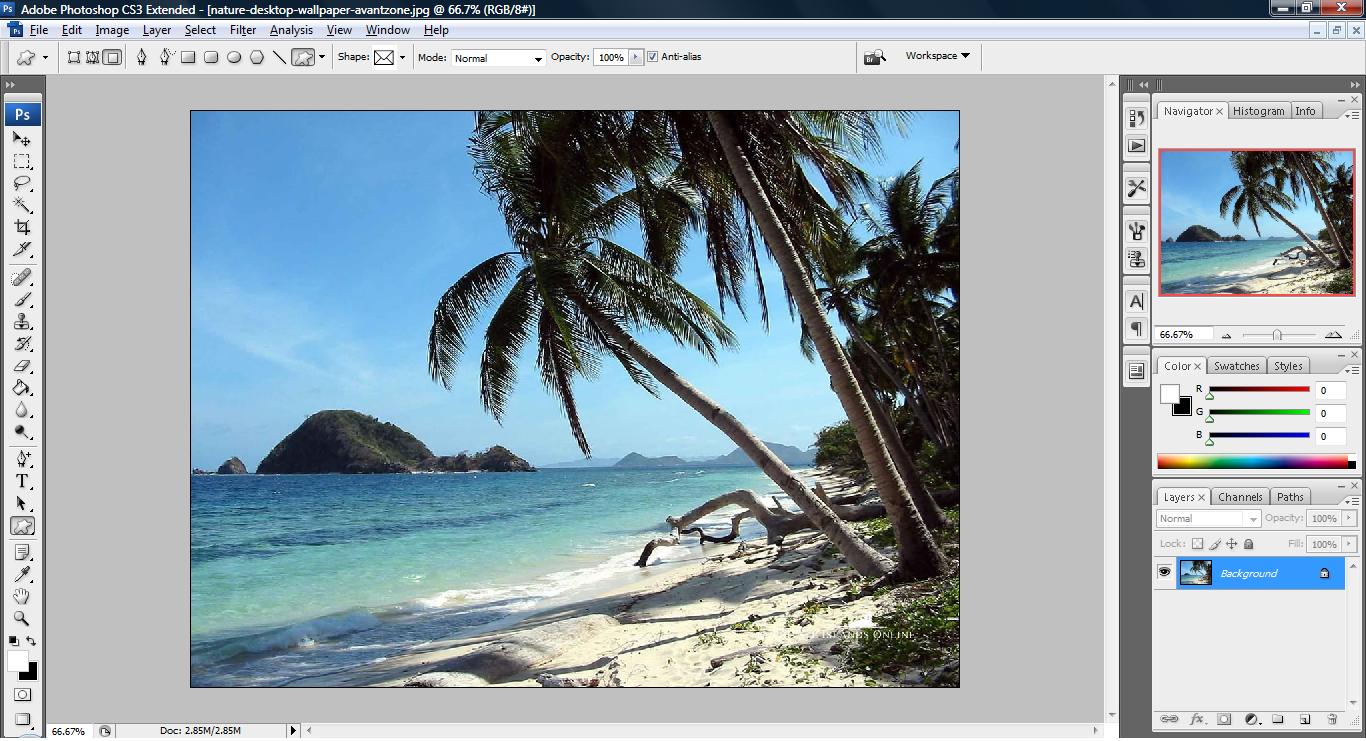
untitled72 300x162 Tutorial: How to change your scenery image to hand sketch

2. duplicate a layer from the Layer Palette and press (Ctrl+Shift+U) to turn the layer into black and white.
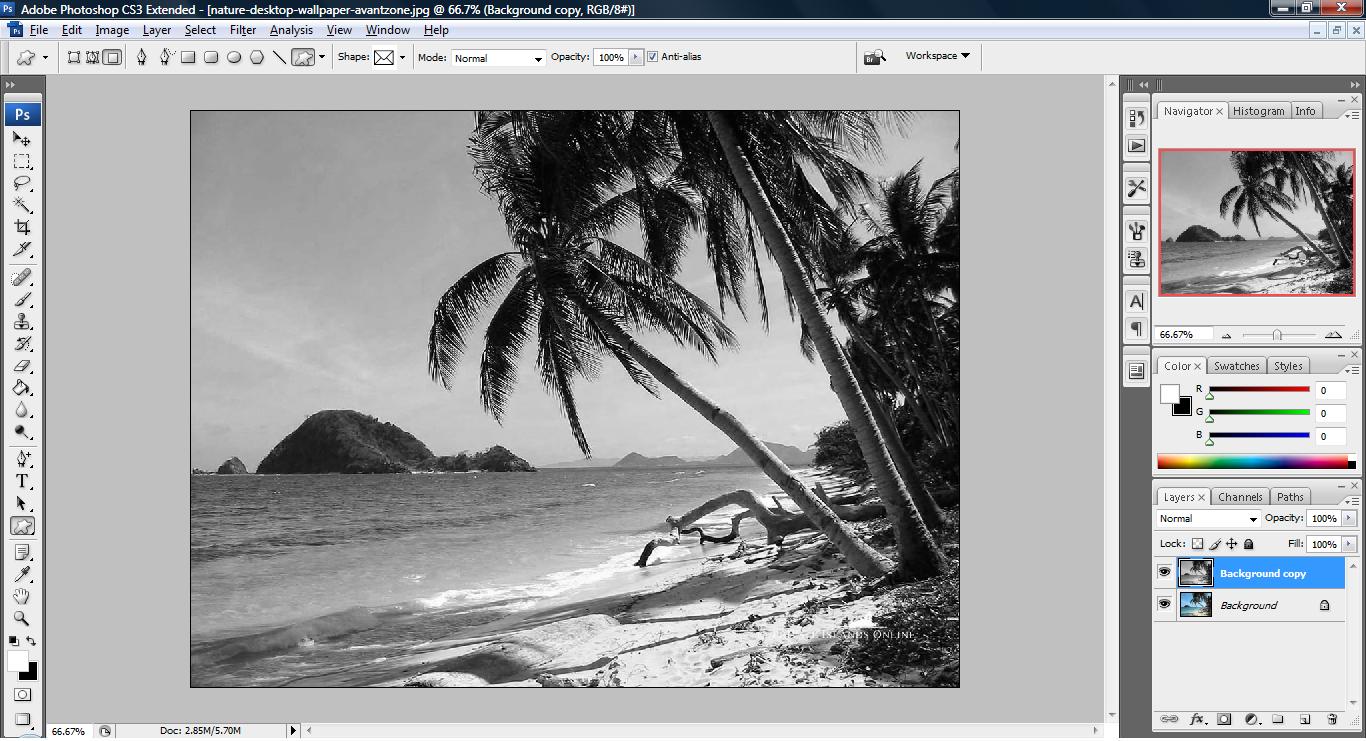
untitled73 300x162 Tutorial: How to change your scenery image to hand sketch

3. Select Filter > Sharpen->Sharpen More or any option you deem fit your liking.
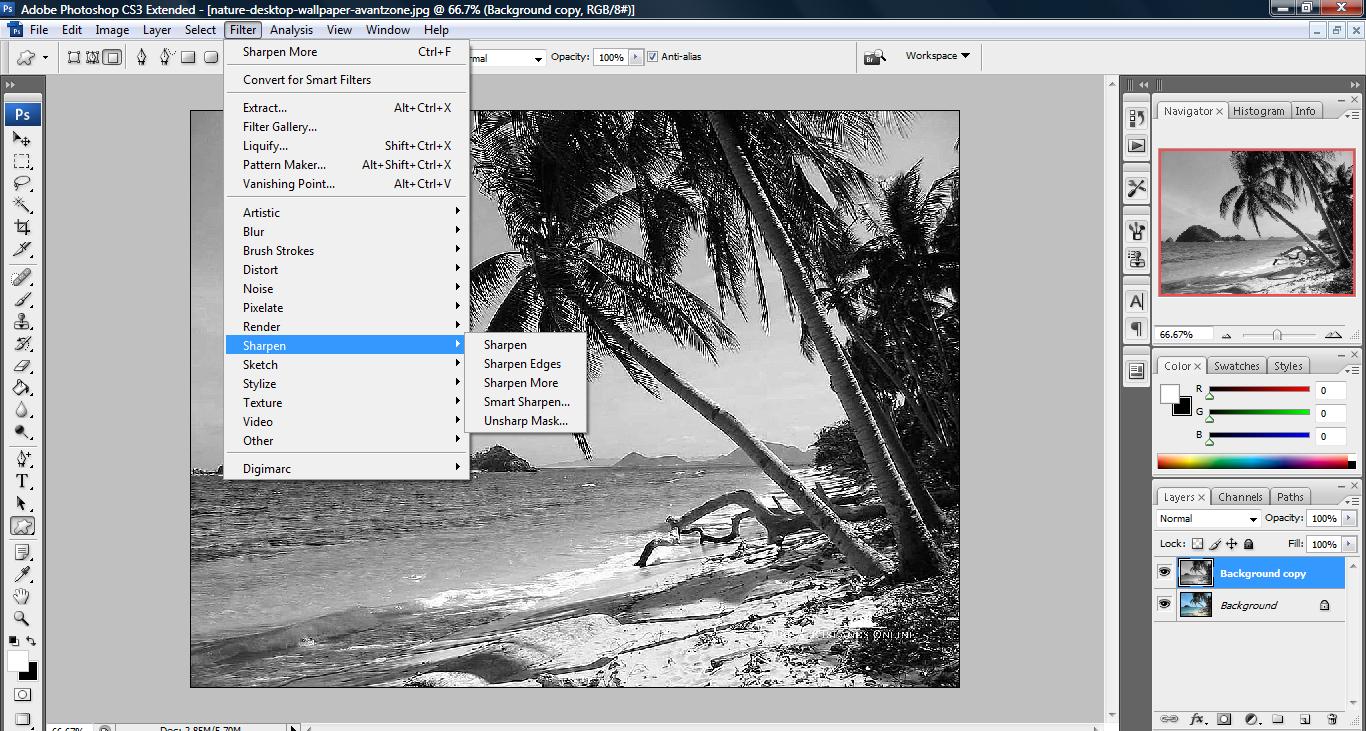
untitled74 300x160 Tutorial: How to change your scenery image to hand sketch

4. Click Filter > Other > High Pass and adjust the radius to your liking. Please take note that there should be a balance between white and gray in the radius you choose and it will affect the end result.
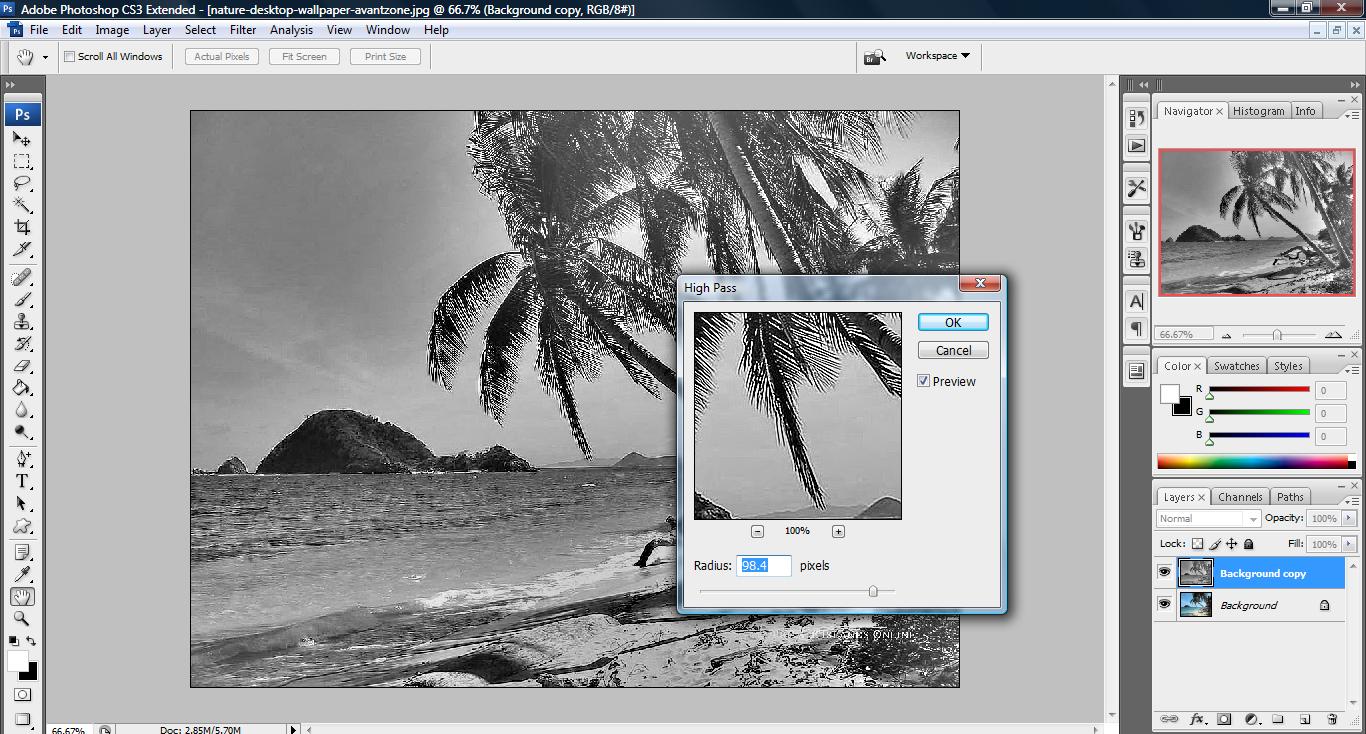
untitled75 300x161 Tutorial: How to change your scenery image to hand sketch

5. Click Filter > Sketch > Graphic Pen and adjust the stroke length and Light/Dark Balance. You can also select the stroke direction of the sketch.
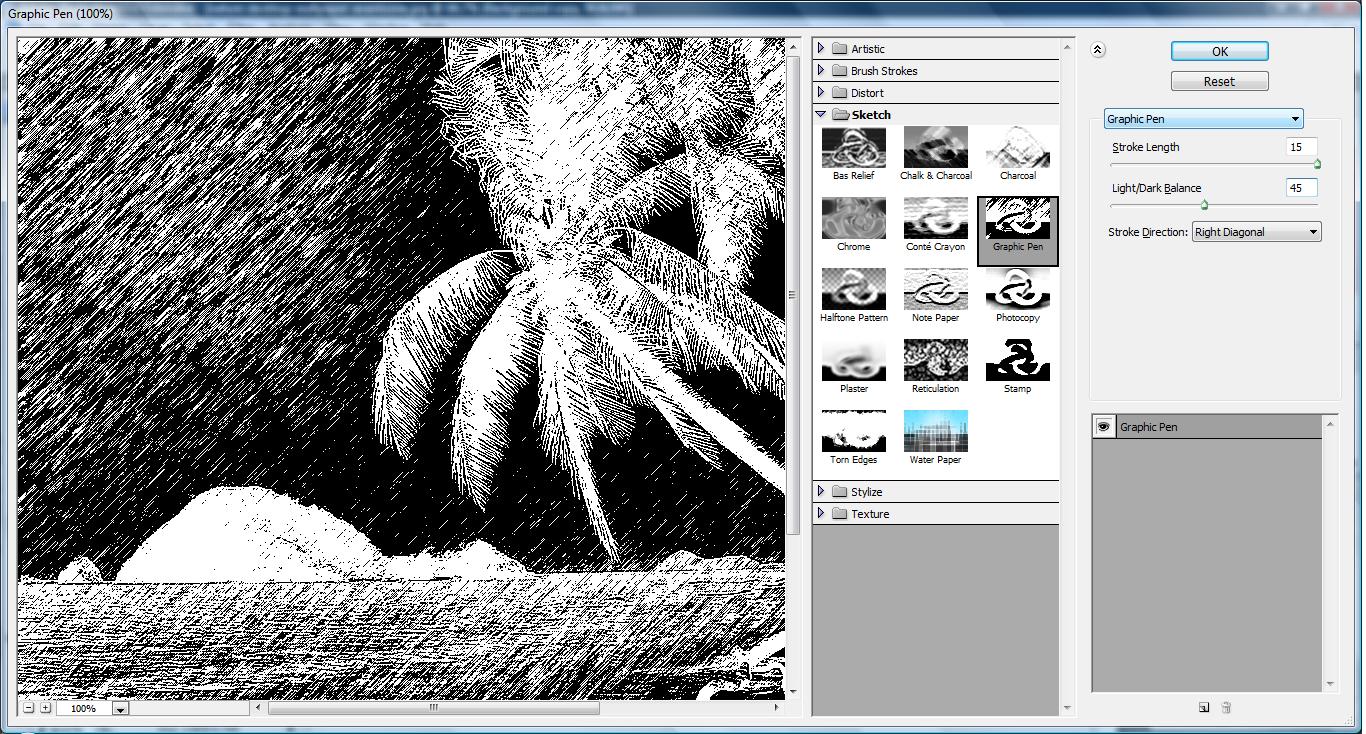
untitled76 300x161 Tutorial: How to change your scenery image to hand sketch

6. This is what you will get.

untitled78 300x162 Tutorial: How to change your scenery image to hand sketch


Like this post? Share it!

digg 48 Tutorial: How to change your scenery image to hand sketch reddit 48 Tutorial: How to change your scenery image to hand sketch stumbleupon 48 Tutorial: How to change your scenery image to hand sketch delicious 48 Tutorial: How to change your scenery image to hand sketch furl 48 Tutorial: How to change your scenery image to hand sketch technorati 48 Tutorial: How to change your scenery image to hand sketch google 48 Tutorial: How to change your scenery image to hand sketch myspace 48 Tutorial: How to change your scenery image to hand sketch facebook 48 Tutorial: How to change your scenery image to hand sketch twitter 48 Tutorial: How to change your scenery image to hand sketch
share save 171 16 Tutorial: How to change your scenery image to hand sketch

No related posts.

About Clay

I am Clay who is the main writer for this website. I own a small web hosting company in Malaysia and i'm available to be hired as individual contractor on elance. You can find me on twitter.
This entry was posted in Adobe Photoshop, How-to. Bookmark the permalink.

Comments are closed.