


I was working on a rounded corner solution that required to supports IE 6 and other major browsers with the number of sprites images given to me. Everything works perfectly until i test the css rule with IE 6. The look very nice layout was literally destroy by IE6. So i have to redesign it slightly so that it works nicely across all browser. Well, supporting IE6 is definitely not one of my favorite things to do for css design as there are many problems one will encounter due to the inconsistency ways of how each browser is being implemented. One of the problem that i encountered doing this was to get my left and right shadow border image to repeat itself on the y axis. The problem was it doesn't even repeat itself! 🙁
Problem with IE 6 Absolute Position with Height 100%
Soon, i found out that it was due to how IE 6 sees the current div block height. I was trying to set the div block of the left and right side shadow to fix into the content of my rounder corner solution as shown below,
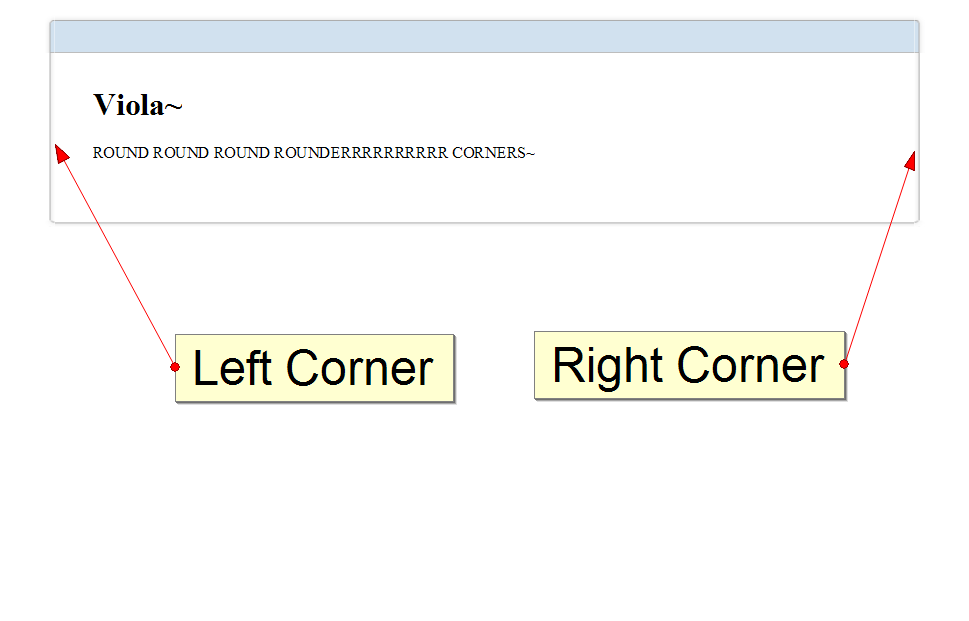
This is something that i took with Firefox, let's look at IE 6 display!
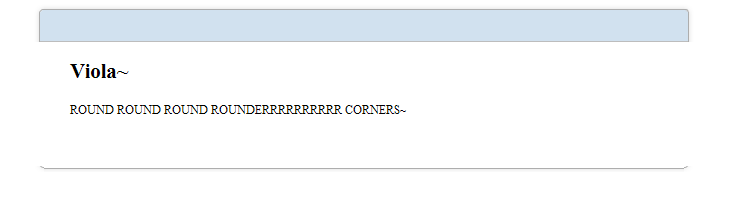
Well.. this is not the actual messed up code that i initially saw but the one that i have completed with a bit of code taken off. Notice that the side sprite images did not repeat itself. This is not due to IE 6 incompatible with css, background-repeat rule. This is purely how IE 6 behave when your div block has absolute position rule intact with it. Let's look at the code of both my CSS and HTML code.
<div id="box-container">
	<div id="box">
		<div class="tlc"></div>
		<div class="trc"></div>
		<div class="blc"></div>
		<div class="brc"></div>
		<div class="t"></div>
		<div class="b"></div>
		<div class="l"></div> <!-- Left shadow -->
		<div class="r"></div> <!-- Right shadow -->

		<div id="content">
			<h1>Viola~</h1>

			<p>
				ROUND ROUND ROUND ROUNDERRRRRRRRRR CORNERS~
			</p>
		</div>
	</div>
</div>
The above are the structure i used to construct my rounder corner solution where the tag for left and right shadow is displayed above. Now, let's look at the two shadow CSS declaration.
#box
{
	margin: 15px auto;
	text-align: left;
	width: 55em;
	word-wrap:break-word;
	overflow: hidden;
	position: relative;
}
.l, .r
{
	height: 100%;
	position: absolute;
	width: 10px;
	z-index: -1;
}

.r
{
	background: #FFF url(images/pnl-sides.png) repeat-y 9% 0%; /*set the right border image*/
	right: 0;
}

.l
{
	background: #FFF url(images/pnl-sides.png) repeat-y 90% 0%; /*set the right border image*/
	left: 0;
}
The above left and right shadow works perfectly as shown on Firefox/Chrome/Safari but fail on IE 6. This is where the problem comes, Height:100% on a position absolute div do not work on IE 6? Well, it does work since i solved this. The trick is to provide its parent a height value as the child does not know how long its height was so it will keep looking for its parent to determine the div block height. In this case, my left and right shadow div block parent was "box". Here, i set my box div block css as follow,
#box
{
	margin: 15px auto;
	text-align: left;
	width: 55em;
	word-wrap:break-word;
	overflow: hidden;
	position: relative;
	height: 100%; /* this is added for ie6 */
}
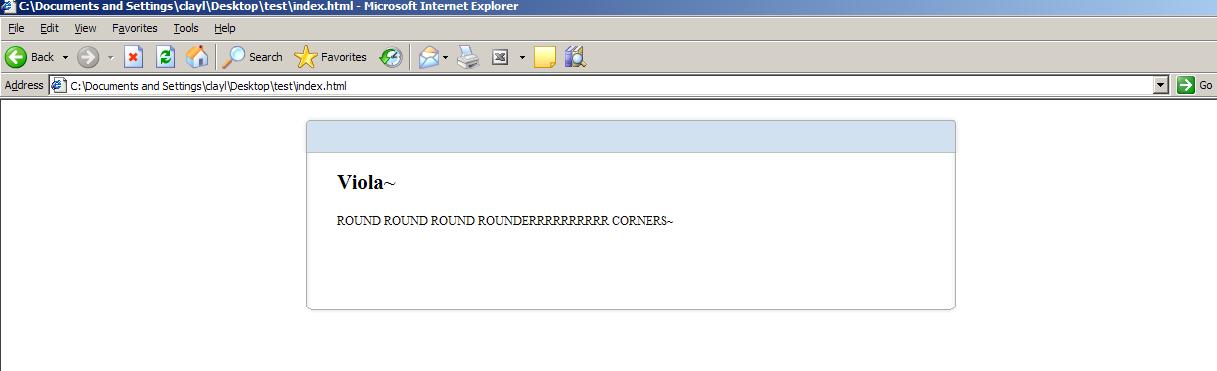
Notice the differences between the first box declaration and this. We have just added height 100%. Below shows the result of our modification.

There! I fixed it in IE 6. But wait! We have another problem. Now, all browser are rendering similar view with height 100% but i want it to fixed dynamically according to the content not the whole height of the browser. We can fix other browsers by adding the following sentence as shown below,
#box
{
	margin: 15px auto;
	text-align: left;
	width: 55em;
	word-wrap:break-word;
	overflow: hidden;
	position: relative;
	height: auto !important; /* this is added to fixed all other browser dynamic height problem */
	height: 100%; /* this is added for ie6 */
}
After we added this css rule, all other browser should work correctly. It seems like IE 6 doesn't recognized !important for height attribute and only takes the latest declared height for its css height in this case, height: 100%. Other browser which worked correct will utilized the !important rule instead. This way we can assure that all other browser render our height dynamically according to the content of our text! Wait! How about IE 6? Oh yes, we still have this trouble maker that we need to take care of. The trick to solve the problem of IE 6 being dumb by taking height 100% as the whole document height is to create another parent above our "box" container which i have already created which is called "box-container". Now, for our "box-container" css, we will place the following rules:
#box-container{
	height: 100% !important;
	height: 1px;
	min-height: 1px ;
}
This will give "box" a given height to follow and cause IE 6 to resize dynamically according to the amount of text you have given in your content block. Now, i finally have a cross browser working solution for my work 🙂
Nice post, I had to do something very similar in the past and it was kind of the same solution, however I didn't do the height: !important trick, mainly because I didn't need to...
What was important however to achieve the goal was the height in the parent box, for IE6 it is fundamental 🙂
However... I don't program anymore for IE6 xD For all freelance jobs I state that I'm just limited to make it compatible with all current browsers versions 🙂
It has made my life really really simple.
Greetings !
Hey unreal4u! Nice to still see you around :D, its been ages since i wrote something useful for the web! *shy* I've been quite busy with work recently which leaves me little to no time to write good post 🙁
I agree that IE 6 should just die ~ lol! Will share my nasty rounded corner code once it passes the QA. Hahaha.. Cheers mate 🙂