Tutorial: How to draw cartoon eyes using Adobe Illustrator

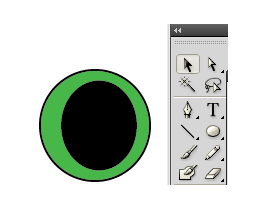
Beginners in Illustrator or any form of drawing platform would know just how difficult it is to draw the eyes of their character. I particularly suck at it, and I’ve recently figured out how to do a simple eyehack, if you will. I’ve cheated and used this same technique many many times in my illustrations.
 Tutorial: How to draw cartoon eyes using Adobe Illustrator

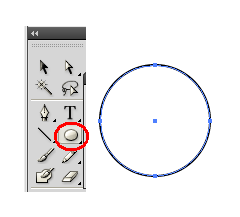
First of all, using the Ellipse tool, draw out a circle about 50 pixels in diameter. The size does not really matter since they are vector eyes and can be resized infinitely. It just depends on how big you want your eyes to be.
 Tutorial: How to draw cartoon eyes using Adobe Illustrator

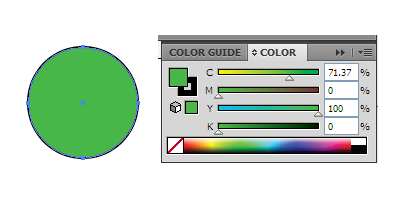
Pick a nice colour to fill the ellipse. I picked a nice shade of green. Keep the border to be black.
 Tutorial: How to draw cartoon eyes using Adobe Illustrator

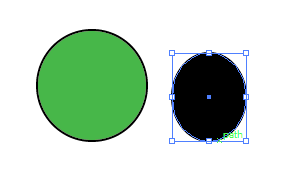
Next, using the ellipse tool, draw a smaller circle, which is black inside and out.moz screenshot Tutorial: How to draw cartoon eyes using Adobe Illustrator

 Tutorial: How to draw cartoon eyes using Adobe Illustrator

Position the black circle somewhere in the middle of the green circle. It does not have to be exactly in the middle.
 Tutorial: How to draw cartoon eyes using Adobe Illustrator

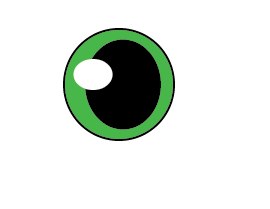
Finally, draw another ecllipse, make it slightly oval this time, smaller than both the ellipses. Fill it with white. The border should be white too. Position it such that it overlaps the black and green circle.

There you have it, one eye! Simple and easy.

Duplicate the technique to create the other eye but place the white ellipse in the other direction so that they won’t look weird. Here’s an example of what it looks like on my cartoon character.

mouse Tutorial: How to draw cartoon eyes using Adobe Illustrator


Like this post? Share it!

http://hungred.com/wp-content/plugins/sociofluid/images/digg_48.png http://hungred.com/wp-content/plugins/sociofluid/images/reddit_48.png http://hungred.com/wp-content/plugins/sociofluid/images/stumbleupon_48.png http://hungred.com/wp-content/plugins/sociofluid/images/delicious_48.png http://hungred.com/wp-content/plugins/sociofluid/images/furl_48.png http://hungred.com/wp-content/plugins/sociofluid/images/technorati_48.png http://hungred.com/wp-content/plugins/sociofluid/images/google_48.png http://hungred.com/wp-content/plugins/sociofluid/images/myspace_48.png http://hungred.com/wp-content/plugins/sociofluid/images/facebook_48.png http://hungred.com/wp-content/plugins/sociofluid/images/twitter_48.png

No related posts.

This entry was posted on Thursday, July 16th at 1:38 AM and is filed under Adobe Illustrator, How-to. You can follow any responses to this entry through the RSS 2.0 feed. Both comments and pings are currently closed.

3 User Commented

  1. li jung woo

    you are beautiful
    i love you

Comments are automatic closed after certain period. Please send the author an email instead.

Pingback/Trackback: show

  1. [...] Read the rest here: Tutorial: How to draw cartoon eyes using Adobe Illustrator … [...]

  2. [...] Visit Tutorial [...]